Packing Video App ASCAM
A dedicated Windows application — scan tracking barcodes, camera auto-records, videos linked to each order. No phone needed, no tripod required.
Recording with a phone — a common mistake
Many small shops use phones to record packing videos. It seems convenient at first, but gets messy as you grow.
Forgetting to start or stop recording
Staff packing 200+ orders/day will inevitably forget at least once. ASCAM auto-records when a barcode is scanned — no human dependency.
Videos scattered in phone gallery
Finding one video among thousands of phone files takes 15-30 minutes. ASCAM searches by tracking number in just 5 seconds.
Phone runs out of battery and storage
Recording 8 hours/day makes phones overheat and run out of space. ASCAM uses a PC with 1TB HDD — records for months without issues.
How is ASCAM different from regular recording apps?
| Criteria | Phone / regular apps | ASCAM (ECAM) |
|---|---|---|
| Start recording | Manual press | Automatic on barcode scan |
| Link video to order | No — must rename files manually | Auto-links tracking number |
| Video search | 15-30 min browsing files | 5 seconds — enter order code |
| Storage | Phone memory (32-128GB) | PC HDD/SSD (1-10TB) |
| Multi-camera | Only 1 angle | 4-6 cameras per packing station |
| Share with marketplace | Send file via email/chat | Public link, marketplace views instantly |
| Productivity reports | None | Detailed KPI per staff, per day |
3 steps to use ASCAM app
Install on Windows PC
Download the ECAM installer, plug in a USB camera or connect an IP camera via LAN. Setup takes about 15 minutes.
Scan barcode — app auto-records
Packing staff simply scan the shipping barcode. The app detects the code, activates camera recording automatically — no extra steps needed.
Search & share video
When a customer files a dispute, enter the tracking number. Video appears in 5 seconds. Generate a shareable link for Shopee/Lazada/TikTok Shop.
Watch ASCAM app in action
Real demo at a packing warehouse — scan, record, search video.
Dedicated Mobile Interface for Packing Station Staff
Each packer opens the Operator Portal directly on their smartphone or tablet at the packing table to monitor live recording timers, receive instant cancelled/duplicate order alerts, trigger multi-workflow modes, and check live camera angles.
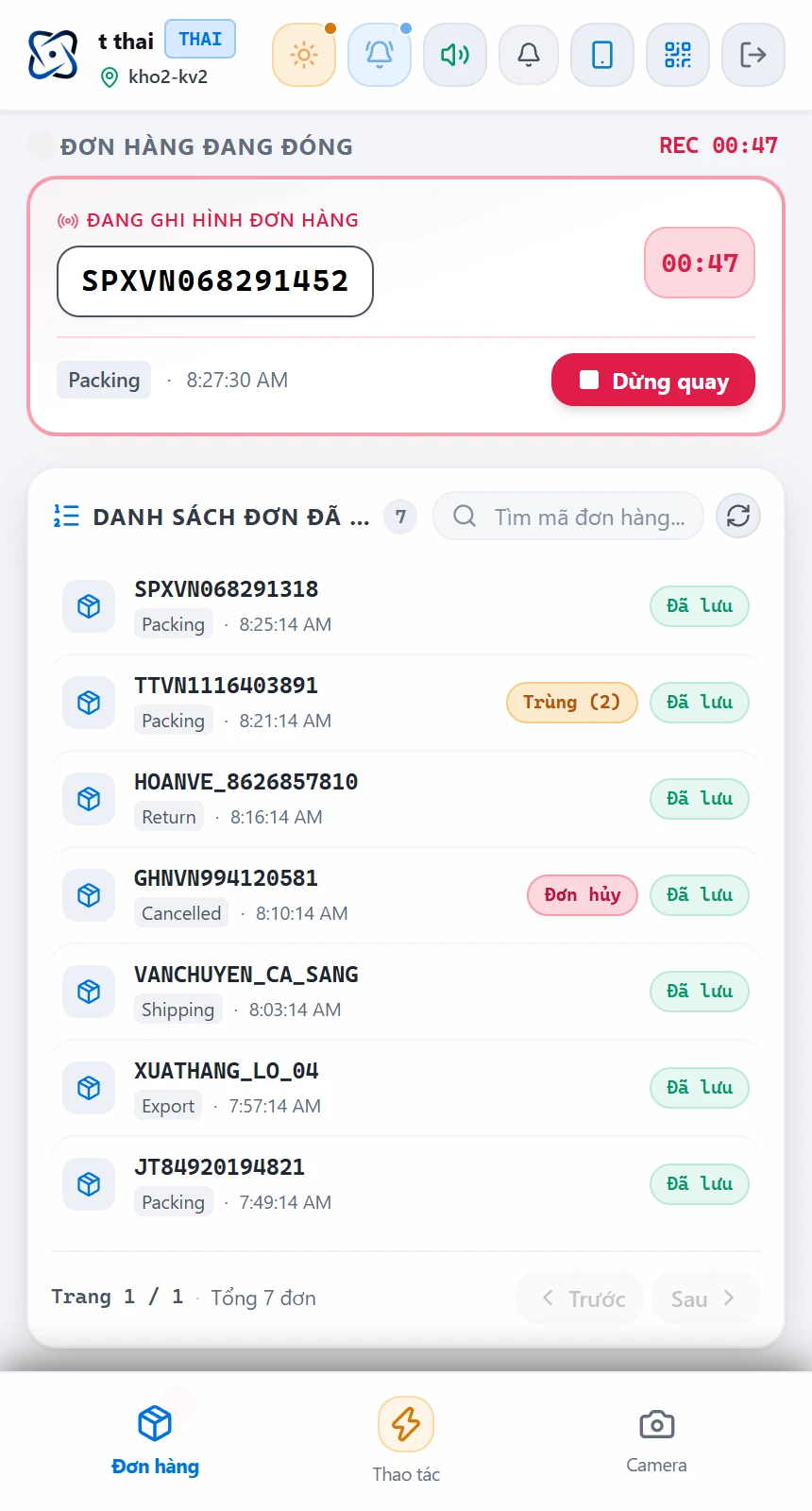
Live Recording Status & Packed Orders List
Displays the active order code with a live elapsed timer (REC 00:47), a quick Stop Recording button, and the recently packed orders list with Saved, Duplicate (2), Cancelled, Return, Shipping, and Export badges.
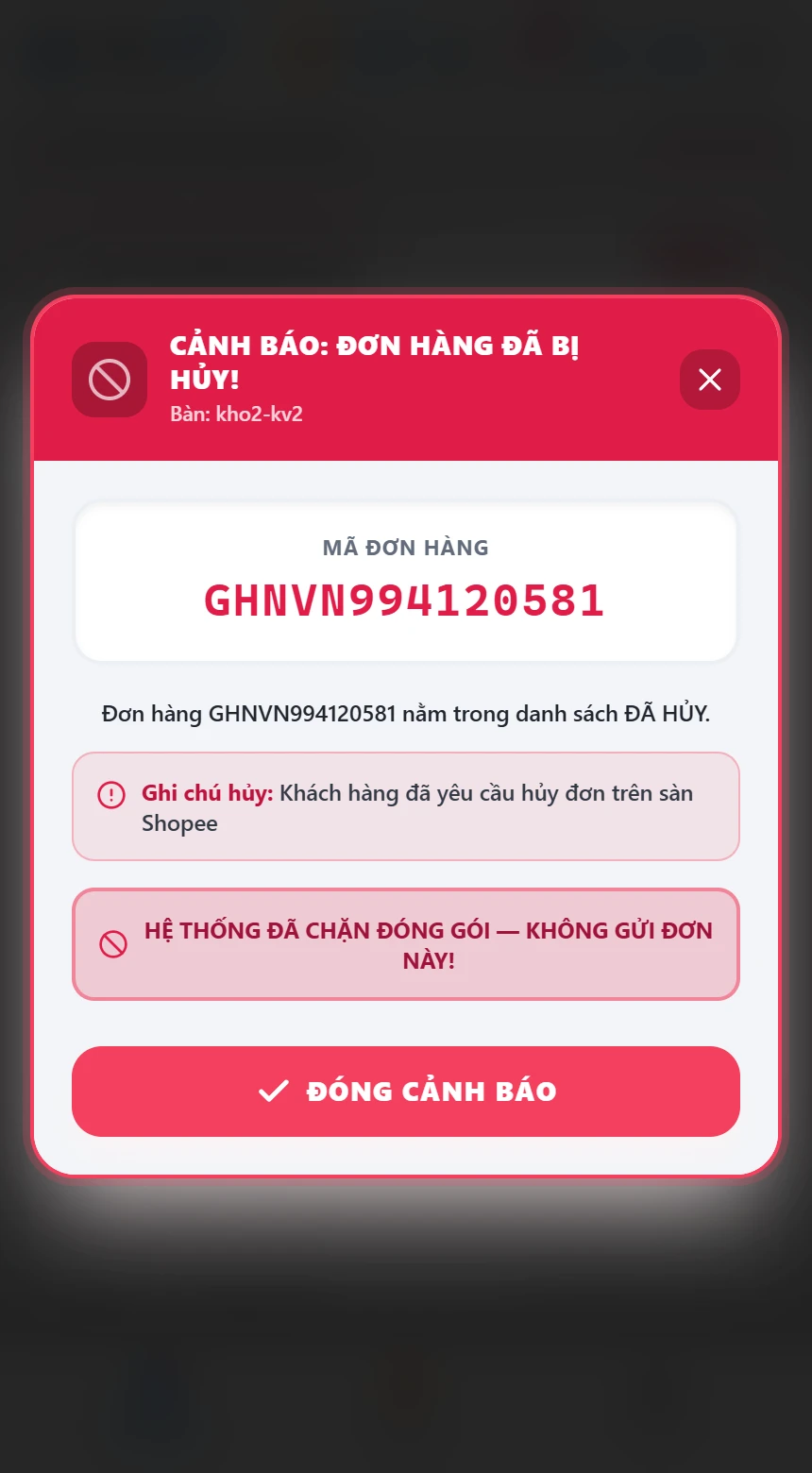
Full-Screen Cancelled & Duplicate Order Alerts
When a buyer-cancelled or duplicate order is scanned, the phone immediately chimes, vibrates, and pops up a full-screen red/amber alert blocking shipment right at the table.
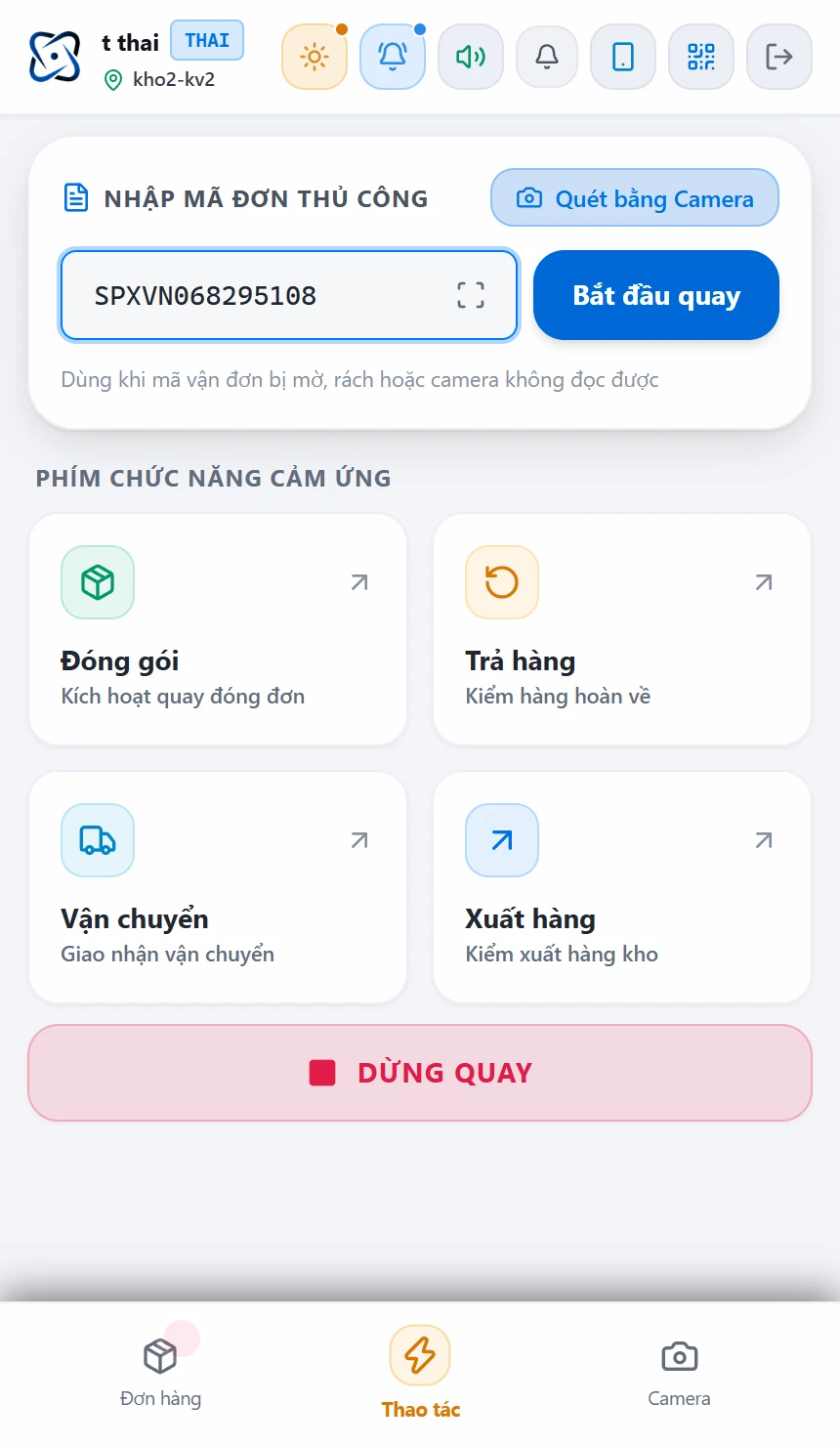
Manual Order Input & 4 Workflow Modes
Type order codes manually or scan barcodes with the phone camera. One-tap switching between 4 warehouse modes: Packing, Returns (Return Inspection), Shipping, and Export.
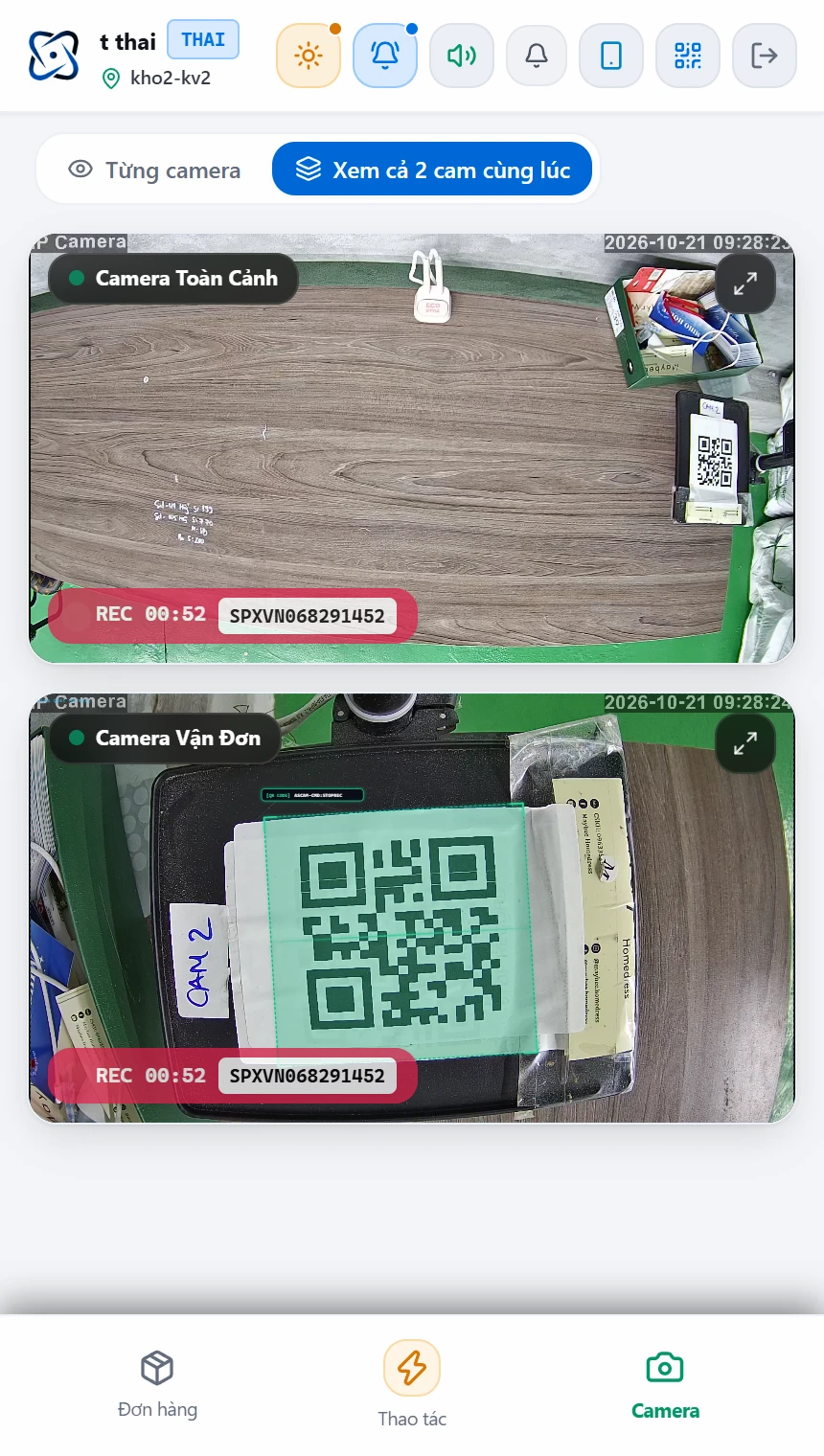
Live Dual-Camera Preview at Station
View both the Overview Camera and Waybill Camera simultaneously (complete with green AI QR bounding boxes and REC timer) on the phone to verify camera framing.
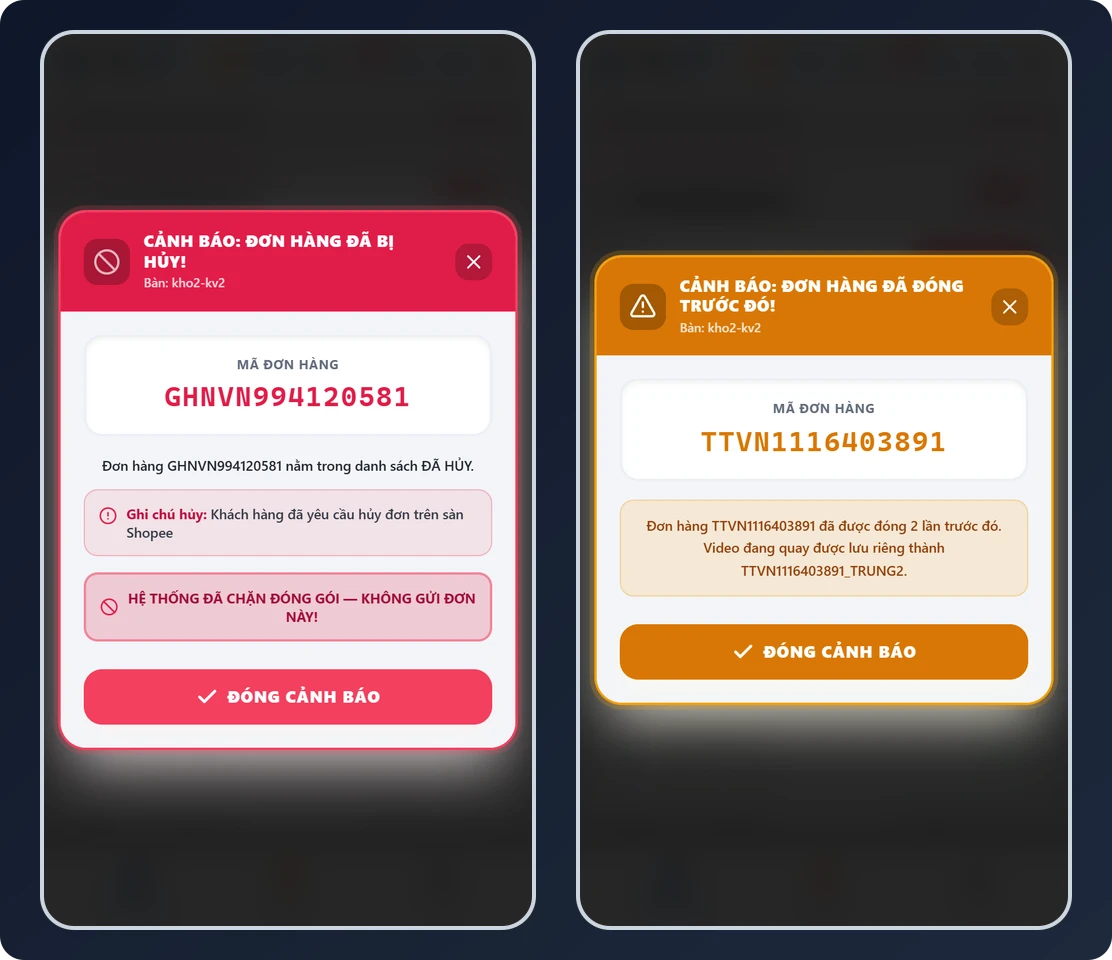
Distinct Cancelled Order (Red) & Duplicate Order (Amber) Modals
No need to look at a distant PC monitor: the moment a barcode is scanned, the operator's smartphone displays the marketplace cancellation reason or duplicate packing count, saving duplicate recordings with a _TRUNG2 suffix.
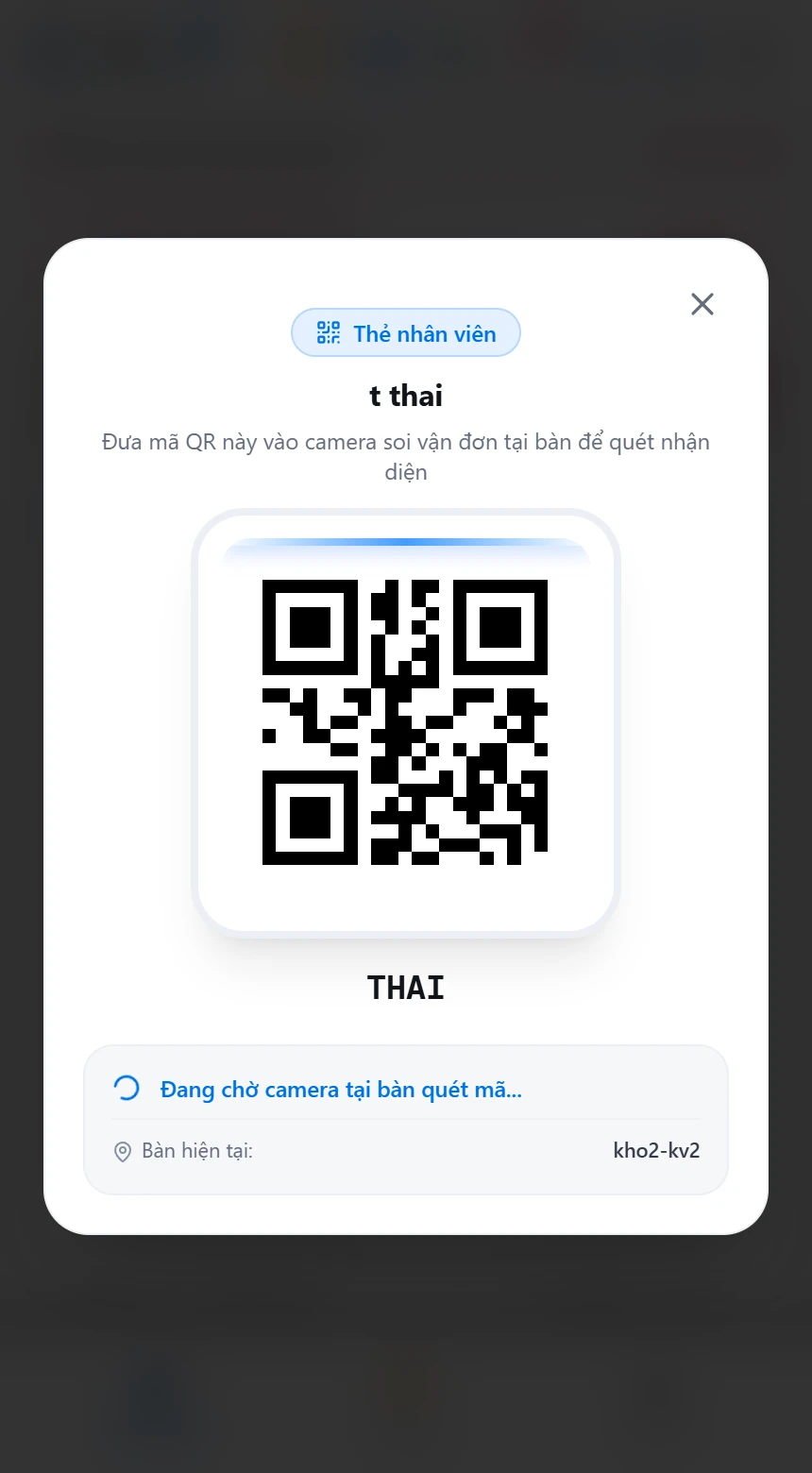
Scan Phone QR Under Camera to Claim Station
Operators simply open their Staff QR Badge on their phone and place it under the station's waybill camera — the system automatically logs attendance and binds the phone to that station.
Who is ASCAM app for?
E-commerce shops (50+ orders/day)
Selling on Shopee, Lazada, TikTok Shop. Need video evidence to resolve disputes quickly.
Fulfillment / 3PL warehouses
Packing for multiple sellers. Video helps clearly assign responsibility between parties.
Manufacturing companies
Record packing process before shipping from warehouse. Ensure outbound QC compliance.
Distributors & agencies
Video proves correct product type and quantity were shipped. Reduces disputes with partners.
Download ASCAM app free today
Install in 15 minutes, try free for 7 days with no limits. Remote setup assistance via TeamViewer.
Flagship Product by RFID LAGI LLC
Alongside enterprise RFID hardware, RFID LAGI develops ASCAM Packing Video Software & Order Recording System (VideoPacking.com) and Vietnam Portal Ghihinh.com — licensed per PC with unlimited packing tables, unlimited videos, unlimited duration & retention, starting at $120/year (3M VND) for 1 packing table.